
Download FurMark – GPU stress test, graphics card benchmark, OpenGL benchmark, Windows utility, free GPU tool, GPU performance test
Overview
FurMark is a lightweight yet highly effective tool designed specifically for stress testing graphics cards and GPUs on the Windows platform. Targeted primarily at hardware enthusiasts, system builders, and performance analysts, the application serves as a critical utility for evaluating the thermal and stability limits of modern GPUs from NVIDIA, AMD, and Intel. Its core purpose is to push graphical processing units to their maximum capacity, allowing users to detect potential overheating, power delivery issues, or driver instability under extreme loads.
The app is particularly useful in real-world scenarios such as overclocking validation, cooling system performance evaluation, and pre-purchase hardware checks. By simulating intense graphical workloads, FurMark helps users ensure their systems remain stable during demanding tasks like gaming, rendering, or AI computations. It also functions as a quick OpenGL benchmark, with the ability to submit scores to online leaderboards, enabling comparative performance analysis across different hardware configurations.
Developed by FurMark, the tool maintains a focused, no-frills approach that prioritizes functionality over aesthetics. While the developer did not provide additional technical details, the application’s long-standing presence in the PC hardware community underscores its reliability and utility. As a free tool, FurMark plays a significant role in the Windows utility ecosystem by offering a high-impact diagnostic function without cost barriers.
Key Features & Functionality
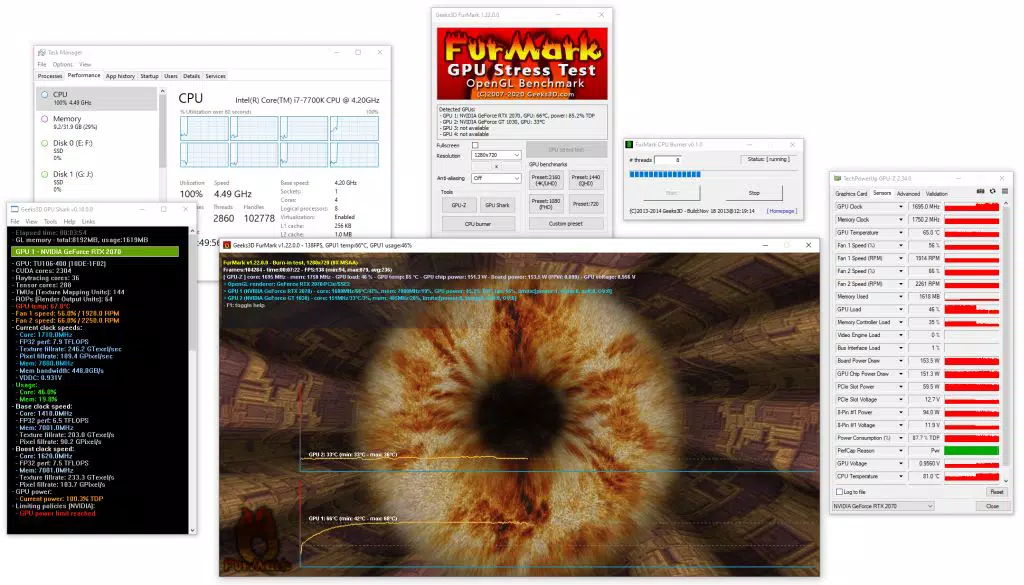
- Intensive GPU Stress Testing – FurMark generates extreme graphical loads by rendering a high-poly, fur-covered sphere using advanced OpenGL techniques. This consistently pushes the GPU to its thermal and performance limits, making it ideal for testing system stability under sustained load.
- Real-Time Monitoring Integration – The tool supports real-time tracking of GPU temperature, clock speeds, power draw, and fan speed, allowing users to observe how the hardware responds during stress cycles.
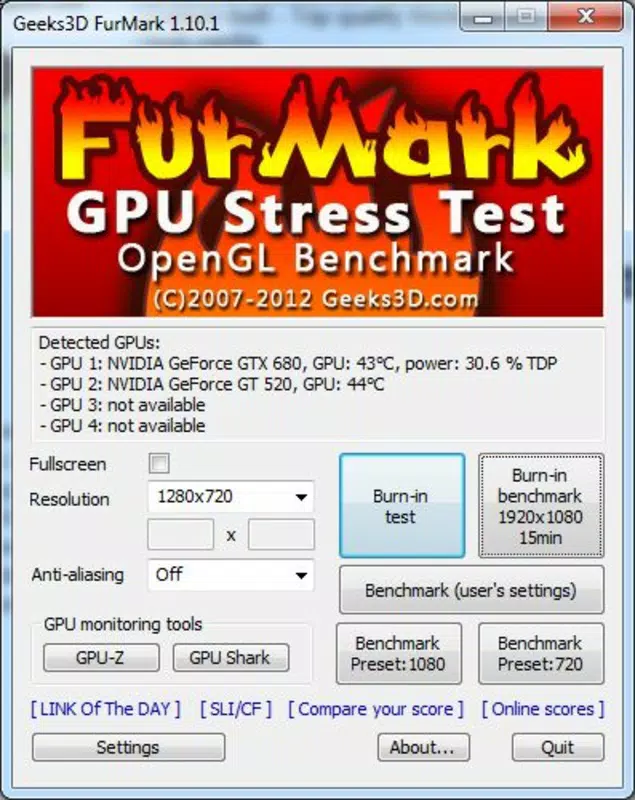
- Customizable Resolution and Load Settings – Users can adjust the test resolution, duration, and intensity to simulate various usage scenarios, from mild thermal checks to full-power endurance tests.
- Online Benchmarking Capability – FurMark enables users to submit their benchmark scores to an online database, facilitating performance comparisons across different GPU models and configurations.
- Lightweight and Fast Startup – With a file size of just 3.5 MB, FurMark loads quickly and consumes minimal system resources outside of GPU utilization, ensuring it doesn’t interfere with the test environment.
For example, a user overclocking an NVIDIA GeForce RTX 4070 can run FurMark for 10 minutes to verify that the card maintains stable clocks without thermal throttling. Similarly, a technician evaluating a new laptop’s cooling solution might use FurMark to determine if the GPU reaches unsafe temperatures under load. These use cases highlight the app’s practical value in both hobbyist and professional settings.
Interface, UX & Performance
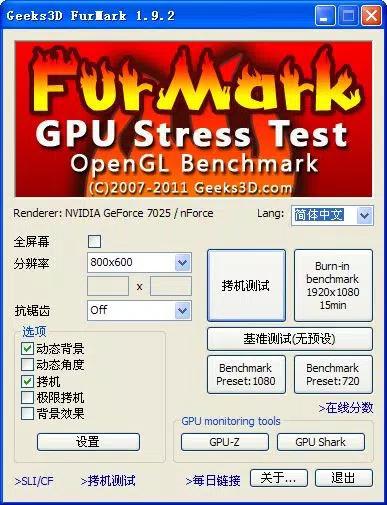
FurMark features a minimalistic interface designed for efficiency rather than visual flair. The main window displays a single, animated fur-covered sphere that serves as the primary stress test render. Controls are located in a compact sidebar, including start/stop buttons, test duration settings, and resolution selection. Navigation is straightforward, with intuitive placement of essential functions.
The user experience is streamlined for technical users, with little need for onboarding or tutorials. The app’s performance is consistent across device categories, although the developer did not list formal performance metrics. The lightweight nature of the application ensures it runs smoothly even on systems with modest CPU and RAM configurations, as its primary resource demand is directed toward the GPU.
Responsiveness is maintained during testing, with no noticeable lag in controls or monitoring updates. Stability is a key strength—FurMark is known for maintaining consistent output over extended test periods without crashing or freezing. Although the developer did not specify minimum OS requirements, the app functions reliably on supported Windows versions, as evidenced by its continued use in the hardware testing community.
Platform Compatibility & Technical Requirements
FurMark is designed exclusively for the Windows platform and is compatible with systems running Windows operating systems. The application has a file size of 3.5 MB, making it highly portable and easy to install on both desktop and laptop systems.
The developer did not specify minimum OS requirements or version compatibility details. However, given the app’s reliance on OpenGL and GPU drivers, it is expected to function on modern Windows versions with up-to-date graphics drivers. No additional software dependencies were reported.
While the app is free to download and use, users should ensure their system has a compatible GPU from NVIDIA, AMD, or Intel to benefit from its full functionality. Specific hardware compatibility details were not listed.
Pros and Cons
Pros
- Free to download and use with no hidden costs or ads
- Lightweight at just 3.5 MB, ideal for quick deployment
- Highly effective for GPU stress testing and thermal evaluation
- Supports real-time monitoring of temperature, clock speeds, and power draw
- Enables online benchmarking for performance comparison
- Minimal system resource usage outside of GPU load
Cons
- Interface is minimal and may feel outdated to new users
- Developer did not provide detailed technical specifications or compatibility notes
- Only available for Windows, limiting cross-platform use
- No built-in reporting or export functionality for test results
- Requires manual setup for advanced testing scenarios
FAQ
Is FurMark safe to use on my GPU?
FurMark is safe when used responsibly. It is designed to stress test GPUs, but prolonged use may cause high temperatures. Always ensure adequate cooling and avoid running tests for extended periods without monitoring.
Can I use FurMark on laptops?
Yes, FurMark can be used on laptops with discrete or integrated GPUs. However, laptop cooling systems may struggle under sustained load, so monitor temperatures closely to prevent thermal throttling or damage.
Is FurMark free to download?
Yes, FurMark is completely free to download and use. There are no in-app purchases or subscription fees.
Does FurMark work on all Windows versions?
The app is designed for Windows, but specific compatibility details were not provided by the developer. It is recommended to use it on systems with updated graphics drivers and modern GPU hardware.
Can I share my benchmark scores online?
Yes, FurMark includes an online benchmarking feature that allows users to submit their scores to a public leaderboard for comparison with other systems.
Final Thoughts
FurMark stands out as a reliable, no-nonsense tool for anyone serious about evaluating GPU performance and stability. Its ability to deliver extreme stress tests with minimal overhead makes it a go-to choice for overclockers, system builders, and hardware reviewers. Despite its simple interface and lack of advanced reporting, its core functionality is unmatched in its niche.
For users seeking a secure, lightweight, and free GPU performance test, FurMark delivers exceptional value. Whether you're verifying cooling efficiency, testing overclocks, or comparing hardware, this tool provides the insights needed to make informed decisions.
Download FurMark now


